Weather App
Vue 3 weather monitoring with city search, real-time API data, and responsive sidebar layout
Interview coding exercise — built for demonstration
A Vue 3 application that monitors weather conditions in various cities. Fetches real-time weather data from WeatherAPI.com and renders it with a clean, responsive interface.
The Brief
The exercise asked for a weather monitoring application that fetches real-time data from a public API, supports searching for cities with autocomplete suggestions, displays current conditions including temperature and forecasts, handles loading and error states gracefully, and works across desktop and mobile devices. The requirements were deliberately open-ended — the evaluation criteria focused on code organization, state management choices, and handling of asynchronous data flows rather than visual polish.
Search with Debouncing
The city search is the primary interaction point. As the user types a city name, the application sends debounced requests to WeatherAPI.com's search endpoint and displays matching cities in an autocomplete dropdown. Selecting a city triggers a separate request to fetch full weather data — current conditions, temperature, humidity, wind speed, and forecasts.
The debouncing was essential. WeatherAPI.com's free tier has strict rate limits, and without debouncing, every keystroke would fire an API call. Using lodash.debounce with a 300ms delay provided the right balance between responsiveness and API efficiency. The search composable (useCitySearch) encapsulates all this logic — the debounced fetch, the results array, the loading state, and the error state — as a reusable module.
1import { ref, watch } from 'vue'2import debounce from 'lodash.debounce'3 4export function useCitySearch() {5const query = ref('')6const results = ref<City[]>([])7const loading = ref(false)8const error = ref<string | null>(null)9 10const search = debounce(async (q: string) => {11 if (!q || q.length < 2) {12 results.value = []13 return14 }15 16 loading.value = true17 error.value = null18 19 try {20 const { data } = await api.get('/search.json', {21 params: { q },22 })23 results.value = data24 } catch (e) {25 error.value = 'Failed to search cities'26 results.value = []27 } finally {28 loading.value = false29 }30}, 300)31 32watch(query, (val) => search(val))33 34return { query, results, loading, error }35}Weather Data Display
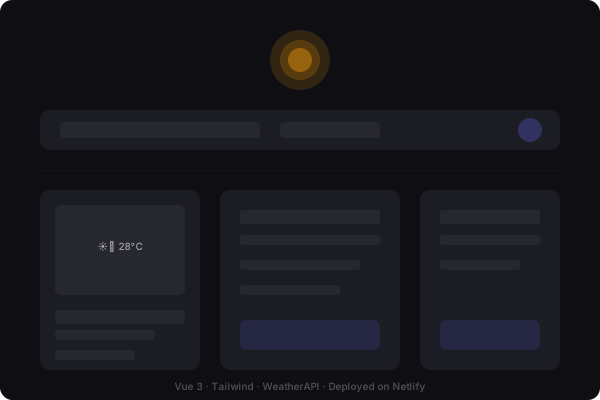
Once a city is selected, the weather data composable (useWeather) fetches current conditions and displays them in a card layout. The card shows the city name, current temperature, weather condition icon and description, humidity, wind speed, and a "feels like" temperature. Below the current conditions, a forecast section shows the expected weather for the next few days.
The data fetching follows a consistent pattern: the composable manages its own loading and error states, and the view component renders accordingly. This means every data-dependent section of the UI has three visual states — loading (skeleton or spinner), success (data display), and error (message with retry option). This pattern makes the UI feel robust even when the API is slow or unavailable.
Error Handling Strategy
Third-party APIs demand defensive error handling. WeatherAPI.com can return errors for invalid API keys, exceeded rate limits, city not found, or network timeouts. Each of these requires a different user-facing message because the action the user should take differs in each case. An invalid key means the application is misconfigured — the user can't fix this. A rate limit error means wait and retry. A "city not found" error means try a different search term.
The composable returns a typed error union rather than a generic string, so the view component can render appropriate messaging and suggested actions for each error type.
Project Structure
What I Learned
Debounced search is essential for any API-backed autocomplete. Without it, every keystroke triggers a network request — wasteful in the best case, rate-limited in the worst. Finding the right debounce delay required experimentation: too short (100ms) and requests still fire too frequently; too long (500ms) and the autocomplete feels sluggish. The 300ms sweet spot made the search feel instant while cutting API calls by roughly 80% compared to no debouncing.
Error handling for third-party APIs needs to be defensive and specific. A generic "something went wrong" message doesn't help the user understand what happened or what to do next. Mapping API error responses to specific user-facing messages — "City not found. Try a different name." versus "API rate limit reached. Please wait a moment." — made the application feel more reliable even when the underlying service had issues.
Vue 3's Composition API combined with TypeScript makes data fetching composables clean and reusable. The useCitySearch composable encapsulates all search-related state — query, results, loading, error — and can be dropped into any component that needs city search functionality. The type system ensures that consuming components know exactly what properties and methods are available.
API key required
This project requires a free API key from WeatherAPI.com. The key is stored in a .env file as VITE_APP_API_KEY and accessed through Vite's environment variable system.
Built as a coding exercise. View source · Live demo